Physical Address
304 North Cardinal St.
Dorchester Center, MA 02124
Physical Address
304 North Cardinal St.
Dorchester Center, MA 02124
Find Every Paybill Number in Kenya
Find Every Paybill Number in Kenya
Type your paybill number. Pick your colours. Download a print-ready poster for free.
Most shop owners do one of two things: print a blurry screenshot from their phone, or pay someone for a basic paybill poster. Neither has to happen.
This free lipa na mpesa poster designer runs in your browser. Type your business name and paybill number, choose your brand colour, and download a clean PDF or PNG — ready to take straight to any print shop in Nairobi or your town.
No account. No watermark. No cost.
Safaricom recommends that every business accepting M-Pesa payments displays a clear paybill poster at their counter so customers can pay without asking for details. This tool makes that easy. (See Safaricom’s official M-Pesa paybill guide)
1. Choose your poster type Pick Lipa na M-Pesa paybill, till number, M-Pesa Agent, Pochi la Biashara, Equity paybill, or another type. Each one has its own layout built for that payment method.
2. Type your business details Enter your business name, paybill or till number, and account number. The poster updates live so you see exactly what you’ll get.
3. Pick a brand colour M-Pesa green, Equity red, KCB blue, or your own colour. One click and the poster recolours to match your shop.
4. Download your mpesa poster Hit Download PDF for printing, or Download PNG to share digitally. Your file is ready.
The whole process takes under two minutes.
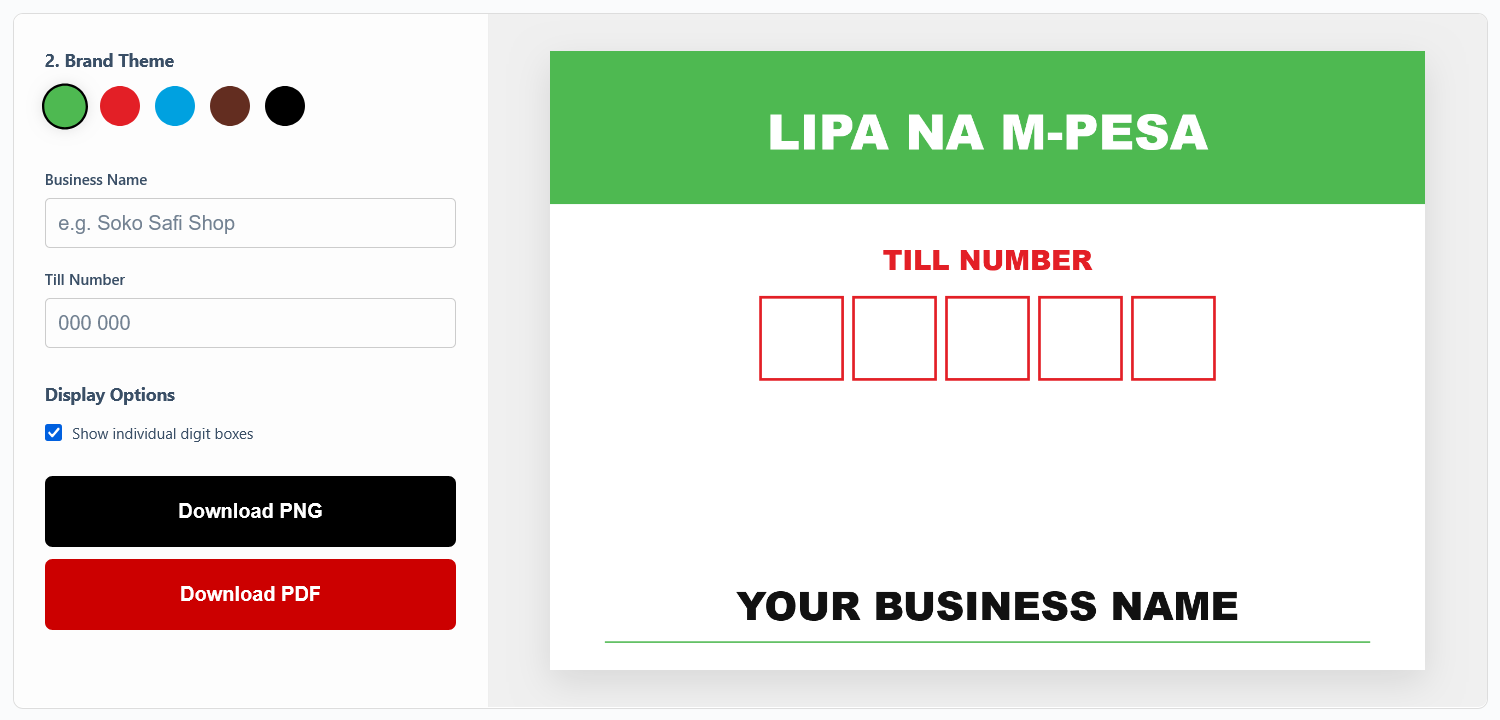
Every poster below is free to design and download:
All types work the same way: type your details, download, print.
Your paybill number goes in — not someone else’s Everything is blank when you open the tool. You fill in your own details. The poster you download has your business name and your paybill number, nobody else’s.
Digit boxes for till numbers Till number posters can show individual digit boxes so customers can clearly read each number without making mistakes. Toggle them on or off depending on your preference.
Files that actually print well The PDF downloads at print resolution. Hand it to any print shop operator and ask for an A4 colour print — they won’t come back asking you to send a higher-quality file.
Works from your phone Open the page on your phone, design your poster, and download straight to your gallery. No app, no laptop needed.
Type your details and your paybill poster is ready to download in under two minutes. After downloading:
Counter sticker (most popular) Ask for A4 glossy sticker paper. It’s waterproof and sticks cleanly to a counter, till point, or glass screen. Most print shops in Nairobi’s CBD, Westlands, and Eastlands carry it. Plain paper with clear tape is a budget backup.
Wall or window display Scale up to A3 or A2. The poster file holds its quality at larger sizes so the text stays sharp. Just tell the print operator what size you want.
Where to print near you Any cyber café handles colour printing. Budget Ksh 50–250 depending on paper type and size. If you’re ordering in bulk — say, 10 or more posters for different branches — ask about bulk print rates.
Is the poster designer free? Yes. Free to use, free to download. No sign-up, no payment, no watermark on what you get.
Can I change my paybill number after downloading? Yes. Just come back to the designer, update the field, and download again. The page stays open in your browser with your last details still in.
PDF or PNG — which should I download? PDF for printing — it’s what print shops expect and it holds quality at any size. PNG for sharing on WhatsApp, your website, or social media.
Do I need a designer or any software? No. It all runs in your browser. Type, pick, download. That’s it.
Can I make a till number poster instead of a paybill poster? Yes. Choose the till number option at the start. You’ll get a layout with individual digit boxes that customers find easier to read at a glance.
Does this work for Pochi la Biashara? Yes. Pick the Pochi la Biashara poster type from the selector. It uses the correct branding for the Pochi platform.
Can I use this for Equity or KCB? Yes — both are in the poster type list. The layouts are colour-matched to each bank’s branding.
What if I want my logo on the poster? The DIY tool handles text and colour. If you need a logo included, Email us and we’ll build a custom version with your logo already placed.
M-Pesa Paybill Directory — Find hundreds of paybills to many business services in kenya
Design and Download Your Free Lipa na M-Pesa Poster →
Takes two minutes. Nothing to install. Free to download.
Want your logo and brand colours already on it? WhatsApp us here and we’ll do it for you.
Not affiliated with Safaricom, Equity Bank, or KCB. Poster templates are independently created for Kenyan business owners.